
Custom Jewelry Design Software: Complete Comparison and Selection Guide
Choosing jewelry design software feels a lot like choosing a business partner—the right match accelerates everything you do, while the wrong one creates friction at every turn. With options ranging from free open-source tools to professional CAD suites costing thousands of dollars, the landscape can be overwhelming.
This guide breaks down the major categories of jewelry design software, compares the leading platforms feature by feature, and walks you through how to identify which option actually fits your specific situation and goals.
What is custom jewelry design software
Custom jewelry design software refers to digital tools that let designers create, visualize, and prepare jewelry pieces for manufacturing. Finding the best option comes down to matching tools like MatrixGold, RhinoGold, 3Design, and Pencil to your skill level and specific goals. The key is balancing features, ease of use, and cost—because the most powerful software in the world won't help you if it takes a year to learn.
What separates jewelry design software from general 3D CAD programs? Jewelry-specific features. We're talking gemstone libraries with thousands of stone shapes and sizes, ring sizers that automatically adjust band dimensions, and pavé setting generators that place dozens of tiny stones with perfect spacing. General CAD tools can technically create jewelry, but you'd be building every component from scratch.
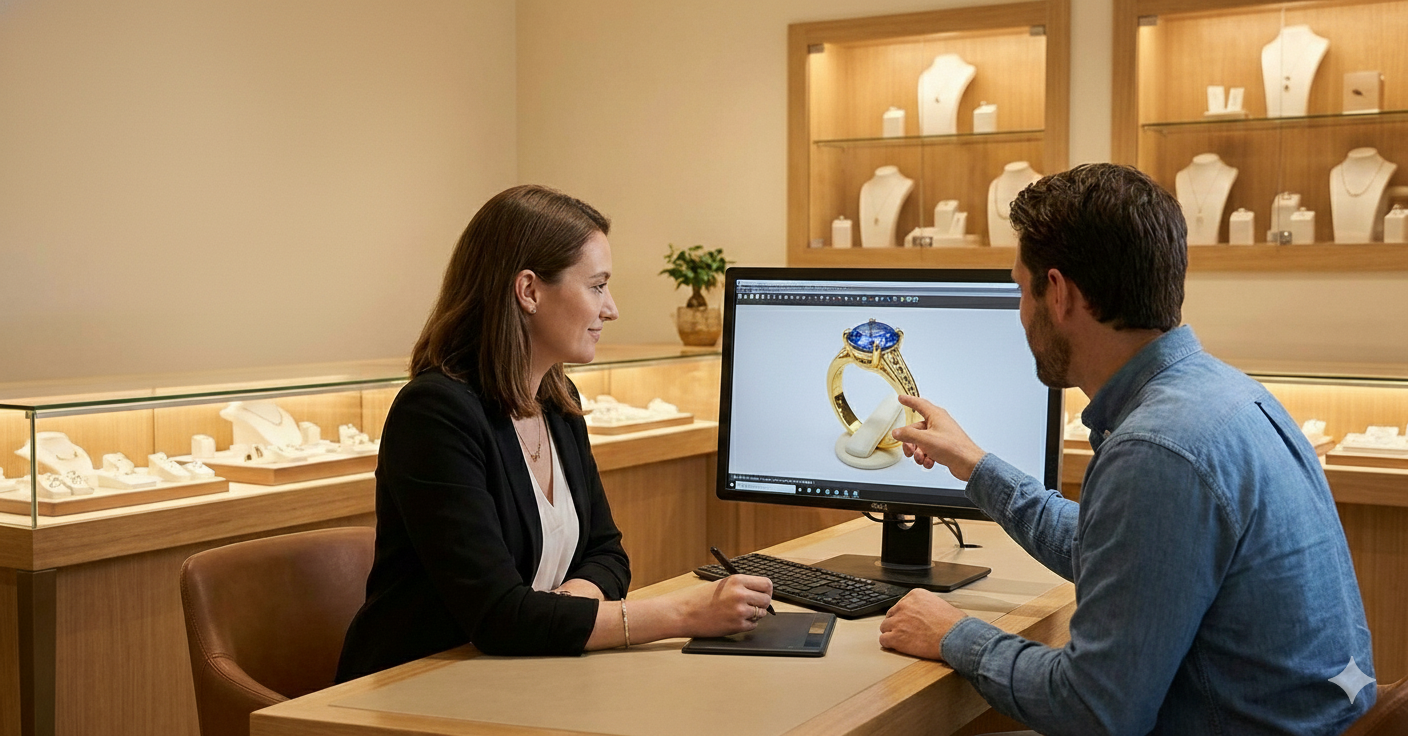
Here's where things get interesting: some jewelry software is built for complex, time-intensive design work that takes months to master, while other platforms prioritize speed and accessibility. The latter category lets you design custom pieces directly with a customer sitting across from you and close a sale in minutes rather than days.
Types of jewelry CAD software
Before comparing specific programs, it helps to understand the broader categories. Jewelry design tools fall into distinct groups based on their specialization, pricing model, and intended user—and knowing which category fits your situation narrows down your options considerably.
Specialized jewelry design software
Purpose-built programs like MatrixGold and 3Design pack in jewelry-specific tools that general software simply doesn't have. Think pavé setting generators, prong builders, and comprehensive gemstone libraries with accurate dimensions for real stones. The trade-off? These programs typically require significant training—often several months of dedicated practice before you're creating production-ready designs.
Pencil takes a different approach within this category. It delivers professional-grade design capabilities while remaining accessible to people who've never touched CAD software before. You get the jewelry-specific tools without the steep learning curve.
General-purpose 3D CAD tools
Programs like Rhino, Blender, and ZBrush can absolutely create stunning jewelry, but they weren't designed for it. You won't find built-in ring sizers or gemstone libraries—instead, you're working with raw 3D modeling tools and building your own workflows from the ground up.
This approach appeals to designers with existing 3D modeling experience who want maximum creative flexibility. If you already know Blender inside and out, adapting it for jewelry might make more sense than learning an entirely new program.
Cloud-based jewelry design platforms
Browser-based solutions run entirely in your web browser, which means no software installation and no worrying about whether your computer meets the system requirements. These platforms also tend to offer collaborative features that desktop applications lack, like sharing designs with clients through a simple link.
Pencil falls into this category, enabling complete design-to-sale workflows without technical expertise. You get powerful design features under the hood, but the interface stays approachable.
Ring builder and configurator apps
Ring builders serve a completely different purpose than design software. These tools are customer-facing—they let shoppers customize jewelry directly on your website by selecting metals, stones, and settings from predefined options.
Think of ring builders as the storefront experience rather than the design studio. Pencil uniquely bridges both worlds as the first platform combining professional CAD capabilities with ring builder functionality, so you can design pieces and let customers customize them without switching tools.
Key features to compare in jewelry design software
The right software depends entirely on matching features to your business. A solo designer selling on Etsy has different priorities than a jewelry brand with retail locations. Here's what actually matters when evaluating your options:
Real-time 3D visualization and rendering
Photorealistic previews let you see exactly how a design will look before committing to manufacturing. This matters for two reasons: getting client approval on custom pieces, and creating marketing images that accurately represent your jewelry.
Some software generates basic 3D views, while others produce images nearly indistinguishable from photographs. The difference affects how confidently clients can approve designs and how professional your product listings appear.
Production-ready CAD file exports
When your design is finished, you'll export it as a file that manufacturers or 3D printers can use. Common formats include STL, OBJ, and 3DM—each with different strengths depending on your production method.
- STL files work well for 3D printing and are widely accepted by casting houses
- OBJ files preserve more detail and work across most manufacturing workflows
- 3DM files are native to Rhino-based software and retain full editing capabilities
Some platforms skip the file-handling step entirely by connecting directly to manufacturing partners. You finish a design, click a button, and it's on its way to production.
Diamond and gemstone feed integration
Software that connects to diamond databases like RapNet or Nivoda pulls in real-time pricing and availability for thousands of stones. When a customer asks about a 1.5 carat round brilliant, you can show them actual diamonds with current prices rather than estimates.
This feature is critical for engagement rings and fine jewelry where stone selection drives the final price. Without it, you're quoting prices manually and hoping inventory hasn't changed.
E-commerce and website integration
Some platforms let you publish designs directly to online stores, complete with product images and interactive 3D viewers. Customers can rotate pieces, zoom in on details, and see exactly what they're buying.
This eliminates the traditional workflow of exporting files, rendering images separately, and manually uploading everything to your website. The time savings add up quickly when you're managing dozens or hundreds of products.
Learning curve and ease of use
Here's the uncomfortable truth about jewelry CAD software: the most powerful programs often take the longest to learn. MatrixGold offers incredible capabilities, but you might spend six months before you're comfortable creating complex designs independently.
Newer platforms like Pencil flip this equation by prioritizing intuitive interfaces. You can start creating production-ready designs in your first session rather than your first year.
Virtual try-on and augmented reality
AR features let customers preview jewelry on themselves using smartphone cameras. They point their phone at their hand and see how a ring actually looks on their finger—not a stock photo, but their actual hand with the actual ring design.
This technology is becoming a key differentiator for online jewelry sales, where customers can't physically try pieces before buying.
Pencil
Pencil is an all-in-one platform for designing, manufacturing, and selling jewelry—no prior CAD experience required. Direct manufacturer connections mean you can go from finished design to production order without exporting files or finding vendors. Instant website publishing with lifelike product images and 3D viewers gets your pieces in front of customers immediately.
MatrixGold
MatrixGold is the industry-standard professional jewelry CAD, built on the Rhino platform. Established jewelry houses worldwide rely on it for complex custom work, and its comprehensive toolset handles virtually any design challenge. The trade-off is a significant training investment before you're productive.
RhinoGold
RhinoGold adds jewelry-specific functionality to Rhino through a plugin architecture. If you already know Rhino's interface, this path lets you specialize in jewelry without learning an entirely new program. The jewelry tools integrate seamlessly with Rhino's broader capabilities.
3Design
3Design offers parametric jewelry CAD with an interface that's more approachable than other professional tools. Strong rendering capabilities make it popular for client presentations where photorealistic images help close sales.
Gemvision CounterSketch
CounterSketch is designed for in-store jewelry consultations where speed matters more than design complexity. Sales associates can customize pieces with customers in real time. One limitation: manufacturing goes through Stuller, so you're locked into their production network.
Fusion 360
Autodesk's Fusion 360 can be adapted for jewelry design, though it lacks built-in jewelry tools. A free tier for hobbyists and startups makes it attractive for those testing the waters before committing to specialized software.
Blender
Blender is free, open-source, and remarkably powerful for organic modeling. The community has created extensive jewelry-focused tutorials, and the price (zero dollars) can't be beat. However, the learning curve is steep, and you won't find built-in gemstone libraries or ring sizers.
ZBrush
ZBrush excels at digital sculpting—creating highly detailed, organic forms that would be difficult or impossible with traditional parametric modeling. For artistic jewelry with intricate textures, flowing shapes, or sculptural elements, ZBrush is often the tool of choice.
How to choose the right jewelry design software for your business
Beyond feature comparisons, practical considerations will guide your final decision. The software that works perfectly for one business might be completely wrong for another.
Define your design goals and skill level
Are you creating highly custom one-of-a-kind pieces, or variations on proven templates? The answer shapes whether you need professional CAD capabilities or simpler customization tools. A designer creating bespoke engagement rings has different requirements than a brand offering personalized name necklaces.
Your current skill level matters too. If you've never used CAD software, starting with MatrixGold is like learning to drive in a Formula 1 car—technically possible, but probably not the smoothest path.
Evaluate manufacturing and file output needs
Consider your production workflow from start to finish. Do you work with a specific casting house that requires particular file formats? Are you 3D printing in-house? Do you want direct connections to manufacturers so you can skip the file management entirely?
Some platforms handle manufacturing seamlessly while others require manual file exports and vendor coordination. Neither approach is wrong, but one probably fits your workflow better.
Consider budget and total cost of ownership
Software costs extend beyond the sticker price. Factor in training time—if a program takes six months to learn, that's six months of reduced productivity. Consider hardware requirements too, since professional CAD software often demands powerful computers with dedicated graphics cards.
A "cheaper" option that takes months to learn might actually cost more than a premium platform you can use immediately.
Test the software before you commit
Free trials and demo versions reveal things that feature lists cannot. What feels intuitive to one person might feel clunky to another, and you won't know until you're actually clicking buttons and creating designs.
Most reputable software offers some form of trial period. Take advantage of it before making a decision you'll live with for years.
Jewelry design software pricing models
Understanding how software is sold helps you budget accurately and compare true costs across different options.
Subscription-based pricing
Monthly or annual payments spread costs over time and typically include updates and support. You'll pay less upfront, but the expenses continue indefinitely. Pencil and CounterSketch follow this model.
Subscriptions work well if you want predictable monthly costs and always-current software. They're less ideal if you prefer owning your tools outright.
One-time license fees
Perpetual licenses require larger upfront investment—sometimes several thousand dollars—but no recurring costs afterward. MatrixGold and 3Design use this approach.
Keep in mind that major version upgrades often require additional purchases. A "one-time" license might mean one-time per version rather than one-time forever.
Free and freemium options
Blender is completely free and genuinely capable of professional work. Fusion 360 offers a limited free tier for hobbyists and small businesses. The trade-offs typically involve either feature limitations or steep learning curves—sometimes both.
Free software makes sense for learning, experimentation, or situations where budget constraints are severe. For production work, evaluate whether the time investment outweighs the cost savings.
Quick-start guide to designing custom jewelry
Ready to start? Here's a practical pathway from zero to your first design:
- Assess your situation by identifying your skill level, budget, and whether you're creating fully custom pieces or variations on templates
- Choose a software category based on whether you prioritize power, accessibility, or specific features like e-commerce integration
- Select a platform and complete onboarding by working through any tutorials or getting started guides the software provides
- Create your first design using templates if available, or starting from scratch if you're comfortable with the tools
- Connect to manufacturing by exporting files or using built-in manufacturer connections
- Publish to your sales channel and start showing your work to customers
Start designing and selling custom jewelry with Pencil
If you want to skip the complexity and start creating immediately, Pencil offers the fastest path from idea to sale. With over five million customization options and direct manufacturer connections, you can design professional jewelry, generate lifelike product images, and publish to your website—all without learning traditional CAD software.
Start for free and see how quickly you can bring your jewelry ideas to life.
FAQs about custom jewelry design software
What is the best AI-powered jewelry design software?
AI-powered jewelry design tools use machine learning to generate design suggestions, automate rendering, or speed up customization workflows. Pencil incorporates AI-assisted features that make professional design accessible to users without traditional CAD training.
What is the easiest jewelry CAD software for beginners?
Cloud-based platforms like Pencil offer the fastest path to creating jewelry without prior CAD experience—you can be productive in minutes rather than months. For those who prefer traditional desktop software, Jewelry CAD Dream provides a gentler introduction than professional tools like MatrixGold.
Can free software like Blender be used for professional jewelry design?
Blender is absolutely capable of professional-quality jewelry design. However, it requires significant time investment to learn, and it lacks built-in jewelry-specific tools like gemstone libraries, ring sizers, or pavé generators. You'll be building those workflows yourself.
What computer specifications are needed to run jewelry design software?
Requirements vary dramatically by platform. Browser-based tools like Pencil work on most modern computers since the heavy processing happens on remote servers. Professional desktop CAD software like MatrixGold benefits from dedicated graphics cards, substantial RAM (16GB or more), and fast processors.
How long does it take to learn professional jewelry CAD software?
Traditional jewelry CAD programs typically require several months of dedicated practice before you're creating production-ready designs independently. Platforms designed for accessibility can be learned in days or weeks. Pencil can be learned in minutes—the interface is designed so you're productive immediately.