
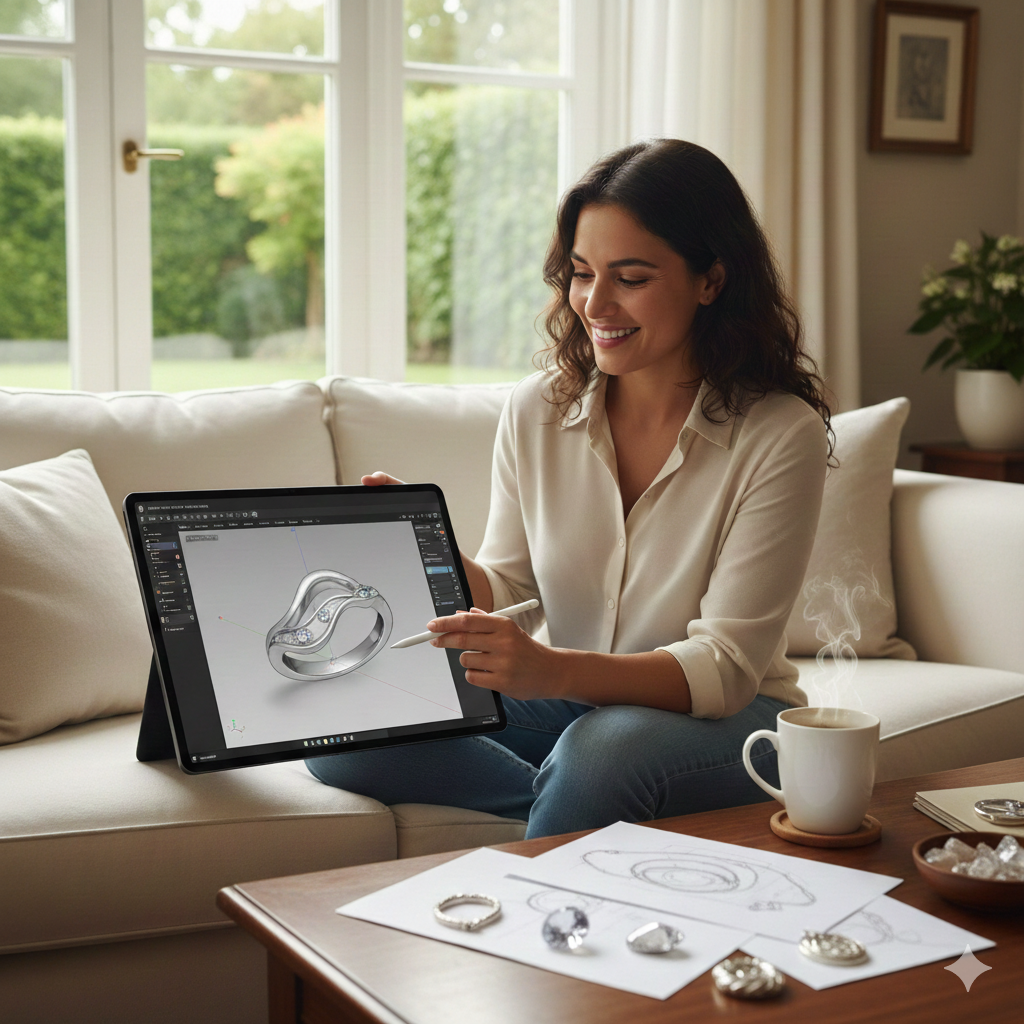
How to Learn Jewelry Design: Essential Skills and Steps
Jewelry design used to require years of specialized training, expensive software, and industry connections just to get started. That's no longer true.
Whether you're sketching your first ring concept or ready to launch a jewelry brand, the path from idea to finished piece has never been more accessible. This guide covers the core skills you'll need, a step-by-step learning approach, the software options available today, and how to actually turn your digital designs into wearable jewelry.
What Is Jewelry Design
Jewelry design is the creative process of conceptualizing and planning wearable ornamental pieces—rings, necklaces, earrings, bracelets, and everything in between. To learn jewelry design, you can take formal courses at institutions like GIA, enroll in online classes through platforms like Skillshare or NYIAD, practice hand-sketching techniques, or use digital design tools that simplify the creation process. Many designers today combine traditional artistic skills with modern CAD software to bring their ideas to life.
The discipline covers everything from rough concept sketches to detailed technical specifications that manufacturers can work from directly. Whether you're drawn to delicate minimalist pieces or bold statement jewelry, the core principles remain consistent: understanding form, proportion, materials, and how a piece will actually look and feel when someone wears it.
What's changed dramatically in recent years is how accessible the field has become. Digital tools now allow designers to create, modify, and visualize pieces in three dimensions before any metal is cast or stone is set. You no longer need years of specialized training to produce professional-quality designs—though understanding the fundamentals still matters.
Essential Skills for Jewelry Designing
Becoming a capable jewelry designer means developing several interconnected abilities. Some are artistic, others technical, but they all work together when you're translating an idea into something wearable.
Design Principles and Aesthetics
Visual balance, proportion, and symmetry form the foundation of appealing jewelry. A ring that looks beautiful in a sketch but feels awkward on a finger has failed at its most basic purpose—jewelry exists to be worn, not just admired from a distance.
Color theory plays a significant role, especially when you're selecting gemstones or combining different metals. You'll also want to familiarize yourself with major design movements, since these inform contemporary trends and what clients typically expect:
- Art Deco: Geometric precision, bold lines, and symmetrical patterns
- Edwardian: Delicate filigree work, lace-like details, and platinum settings
- Minimalist: Clean lines, simple forms, and understated elegance
- Modern Bohemian: Organic shapes, mixed materials, and eclectic combinations
Sketching and Visualization
Traditionally, hand-drawing was the primary way designers communicated their ideas. While sketching remains valuable for quick concept exploration, digital tools have transformed how most professionals actually work day to day.
Platforms like Pencil now enable rapid 3D iteration, allowing you to visualize a design from every angle instantly. This means you can learn jewelry design effectively even if drawing isn't your strongest skill—the software handles the visualization while you focus on creative decisions.
Materials and Gemstone Knowledge
Every design decision is influenced by material properties. Gold behaves differently than silver; platinum has characteristics distinct from both. Understanding these differences affects everything from structural integrity to final appearance and price point.
Gemstone knowledge matters equally. You'll want to learn about hardness ratings (which determine durability), cut styles, setting requirements, and how different stones interact with light. This knowledge prevents designs that look stunning on screen but prove impossible—or prohibitively expensive—to actually manufacture.
Digital Design Proficiency
CAD (computer-aided design) skills have become essential in contemporary jewelry design. Digital proficiency allows you to create precise specifications that manufacturers can work from directly, eliminating the back-and-forth that used to slow down production.
The good news? User-friendly platforms have eliminated the steep learning curves that once made digital design intimidating. Pencil, for instance, offers production-ready CAD tools that require no prior software experience, making professional-quality digital design accessible to beginners from day one.
How to Learn Jewelry Design Step by Step
Learning jewelry design follows a logical progression from foundational knowledge to hands-on creation. Here's a practical path forward.
1. Master the Fundamentals of Jewelry Design
Start by studying existing pieces with an analytical eye. Visit jewelry stores, browse museum collections online, and examine how successful designs handle proportion and detail. Pay attention to what draws your eye and why certain pieces feel more refined than others.
Learning jewelry anatomy helps you communicate ideas clearly and follow tutorials effectively. Here are some essential terms:
- Shank: The band portion of a ring that wraps around the finger
- Bail: The loop that attaches a pendant to a chain
- Bezel: A metal rim that holds a stone in place
- Prong: A metal claw that grips a gemstone from above
- Setting: The portion of a piece that holds stones securely
2. Learn Jewelry Design Software
Digital tools have become the industry standard for production-ready designs. While traditional CAD programs like RhinoGold or MatrixGold offer powerful capabilities, they require significant time investment to master—often months or years of dedicated practice. MatrixGold licenses also exceed $10,000, and the software typically requires a high-performance gaming desktop or specialized server to run effectively.
Browser-based platforms offer an alternative path. Pencil provides professional CAD functionality without downloads, installations, or expensive licenses, letting you start creating immediately rather than spending months learning complex software interfaces.
3. Create Your First Digital Designs
Begin with structurally simple pieces: plain bands, basic stud earrings, or straightforward pendants. These projects teach fundamental techniques without overwhelming complexity, and you'll actually finish something—which matters more than you might think when you're building momentum.
Experiment freely with customization options. Try different metal finishes, stone placements, and proportions. Iteration is how you develop your eye and discover your design preferences. With over five million customization options available on platforms like Pencil, you have plenty of room to explore without hitting walls.
4. Produce Your Designs or Connect with Manufacturers
Once you've created designs you're proud of, you have options for bringing them into the physical world. You can download 3D files (typically STL or 3DM formats) for personal production or prototyping with a 3D printer.
Alternatively, you can connect directly with manufacturers who specialize in jewelry production. Pencil streamlines this workflow by generating production-ready files automatically and facilitating manufacturer connections, removing the traditional barriers between design and physical creation.
Jewelry Design Software and Digital Tools
Your choice of software significantly impacts your workflow, learning curve, and output quality. Different tools serve different needs, and understanding the landscape helps you make informed decisions.
Browser-Based Design Platforms
Browser-based platforms run entirely in your web browser—no downloads, no expensive hardware requirements, no complex installations. They're ideal for beginners and designers who want to move quickly from concept to production without technical obstacles.
Pencil exemplifies this approach, offering production-ready CAD tools that work on any computer with internet access. The platform is trusted by over 80,000 designers precisely because it removes technical barriers while maintaining professional output quality.
Professional CAD Software
Traditional options like RhinoGold and MatrixGold offer extensive capabilities for complex custom work. However, they demand significant investment—both financially and in learning time. These programs were designed for specialists, and the interfaces reflect that assumption.
For designers who need maximum flexibility and don't mind the investment, professional CAD software remains powerful. But for most people learning jewelry design, the barrier to entry is simply too high to justify when more accessible alternatives exist.
3D Rendering and Visualization Tools
Photorealistic product images are essential for selling jewelry online. Customers want to see exactly what they're buying, and high-quality renders build trust in ways that photographs of similar pieces simply can't match.
Some platforms integrate rendering directly into the design workflow. Pencil, for example, includes built-in rendering and interactive 3D viewers that you can publish directly to your website—no separate software or additional subscriptions required.
Types of Jewelry Designing to Explore
Experimenting across different jewelry categories helps you discover where your interests and strengths align. Each type presents unique design challenges worth understanding.
Ring Design
Rings offer a defined structure that makes them excellent starting projects. You'll work with band styles, stone settings, and the relationship between the ring's profile and its appearance on the hand.
Consider how a ring looks from multiple angles—top view, side profile, and how it sits against adjacent fingers. Comfort matters too; a beautiful ring that pinches or catches on clothing has missed something essential about what jewelry is for.
Necklace and Pendant Design
Necklaces introduce considerations of movement and how pieces interact with necklines and body shapes. Pendant proportions affect visual balance, while bail design determines how smoothly a piece hangs and moves.
Chain selection is its own skill. Different chain styles complement different pendant weights and aesthetics—a delicate pendant on a heavy chain looks unbalanced, while a substantial pendant on a fragile chain risks breakage.
Earring Design
Earrings range from simple studs to elaborate chandelier styles, each with distinct design requirements. Weight is a primary concern—heavy earrings become uncomfortable quickly and can damage earlobes over time.
Drops and dangles introduce movement, which affects how light interacts with the piece throughout the day. Hoops require attention to closure mechanisms and how the earring sits against the face at different angles.
Bracelet and Bangle Design
Bracelets demand careful attention to sizing and comfort. Unlike rings, which have standardized sizes, bracelets vary more in fit preferences—some wearers prefer snug fits while others like loose movement around the wrist.
Clasp selection affects both aesthetics and functionality. Articulated bracelets (those with linked segments) require planning for how joints move and whether the piece will lie flat or twist during wear.
How to Turn Jewelry Designs Into Finished Pieces
The production phase transforms digital designs into tangible jewelry. Understanding this process helps you create designs that manufacture successfully the first time.
1. Prepare Production-Ready Files
Manufacturers work from specific file formats—STL and 3DM are most common in the industry. Your files need proper specifications: correct dimensions, appropriate wall thicknesses, and accurate stone seat measurements.
Platforms like Pencil generate production-ready files automatically, handling technical requirements so you can focus on design rather than file preparation and troubleshooting export errors.
2. Select a Manufacturing Method
Several production paths exist, each suited to different needs and budgets:
- 3D printing: Ideal for prototypes and creating wax models for casting. Allows you to hold and evaluate a design before committing to precious metals.
- Lost-wax casting: The traditional method for metal jewelry. A wax model is encased in plaster, burned out, and replaced with molten metal.
- Direct manufacturing: Working with established jewelry manufacturers who handle the entire production process from your digital files.
3. Review and Refine Your Samples
Physical prototypes reveal things digital renders cannot. How does the piece feel in hand? Does it sit correctly when worn? Are there sharp edges that need smoothing?
Evaluate fit, finish, and wearability before committing to final production. Most successful designers go through multiple prototype iterations before approving a design for sale—this refinement process is normal, not a sign that something went wrong.
Career Paths in Jewelry Design
Trained jewelry designers pursue various professional directions depending on their goals and working style preferences.
Freelance Jewelry Designer
Independent designers work with multiple clients or sell custom pieces directly. This path offers flexibility and creative control but requires entrepreneurial skills—marketing, client management, and business operations become part of your daily responsibilities alongside actual design work.
In-House Brand Designer
Employment with established jewelry companies provides stability and collaborative opportunities. You'll work within brand guidelines and alongside other creative professionals, contributing to collections rather than building a personal brand from scratch.
Jewelry Business Owner
Launching your own jewelry brand combines design skills with business ownership. Design-to-sale platforms make this increasingly accessible—Pencil enables designers to publish lifelike product images and interactive 3D viewers directly to their websites, handling the technical infrastructure so you can focus on creation and sales.
Start Your Jewelry Designing Journey Today
Modern tools have removed the traditional barriers that once made jewelry design accessible only to those with years of training or expensive software. Anyone with creative ideas can now bring them to life without waiting for permission or accumulating credentials.
The path forward is clearer than it's ever been: learn the fundamentals, practice with accessible digital tools, and iterate until your designs reflect your vision.
Start designing for free with Pencil
Frequently Asked Questions About Learning Jewelry Design
What is the 2:1:1 rule for jewelry?
The 2:1:1 rule is a proportion guideline suggesting that in a jewelry composition, the focal element carries twice the visual weight of secondary elements. This creates designs that feel balanced yet dynamic rather than static or chaotic—the eye knows where to look first, then where to travel next.
How long does it take to learn jewelry design?
Timelines vary based on your goals and chosen tools. Basic digital design skills can develop in weeks using intuitive platforms, while mastering traditional CAD software or metalsmithing techniques typically requires months to years of dedicated practice. Most people can create their first production-ready digital design within a few hours of starting.
Do I need a degree to become a jewelry designer?
A formal degree isn't required to work as a jewelry designer. Certificates from institutions like GIA can enhance credibility with certain clients and employers, though many successful designers are entirely self-taught using online resources and design platforms.
What is the highest paying job for a jeweler?
Senior design positions at luxury brands, custom design specialists serving high-net-worth clients, and jewelry business owners with established brands typically earn the highest incomes in the jewelry industry. The specific figures vary widely based on location, clientele, and business model.
Can I learn jewelry design online for free?
Yes—free resources including tutorial videos, design blogs, and browser-based platforms with free tiers allow beginners to start learning jewelry design fundamentals without upfront investment. You can create real, production-ready designs without spending anything to get started.